DF-S12 · SolutionShipping
XEON-BASED · STORAGE

Storage Controller Node.

An NVMe-attached storage controller node — Intel Xeon compute paired with high-density PCIe expansion, purpose-built as the compute frontend for AI storage appliances and SDS clusters.

Ships inside DF-R2
OVERVIEW

The compute front-end for AI storage.

Where the AI Storage Appliance and JBOF platforms meet the network. A dedicated storage controller node running Ceph, OpenEBS, NVMe-oF targets, or the Datafabrix storage services.

Pair one or two storage controller nodes with a JBOF or AI Storage Appliance to build a complete storage system — with active-active HA, front-end protocol services, and integrated DCIM.

Built on Intel Xeon Server Card Shipping today
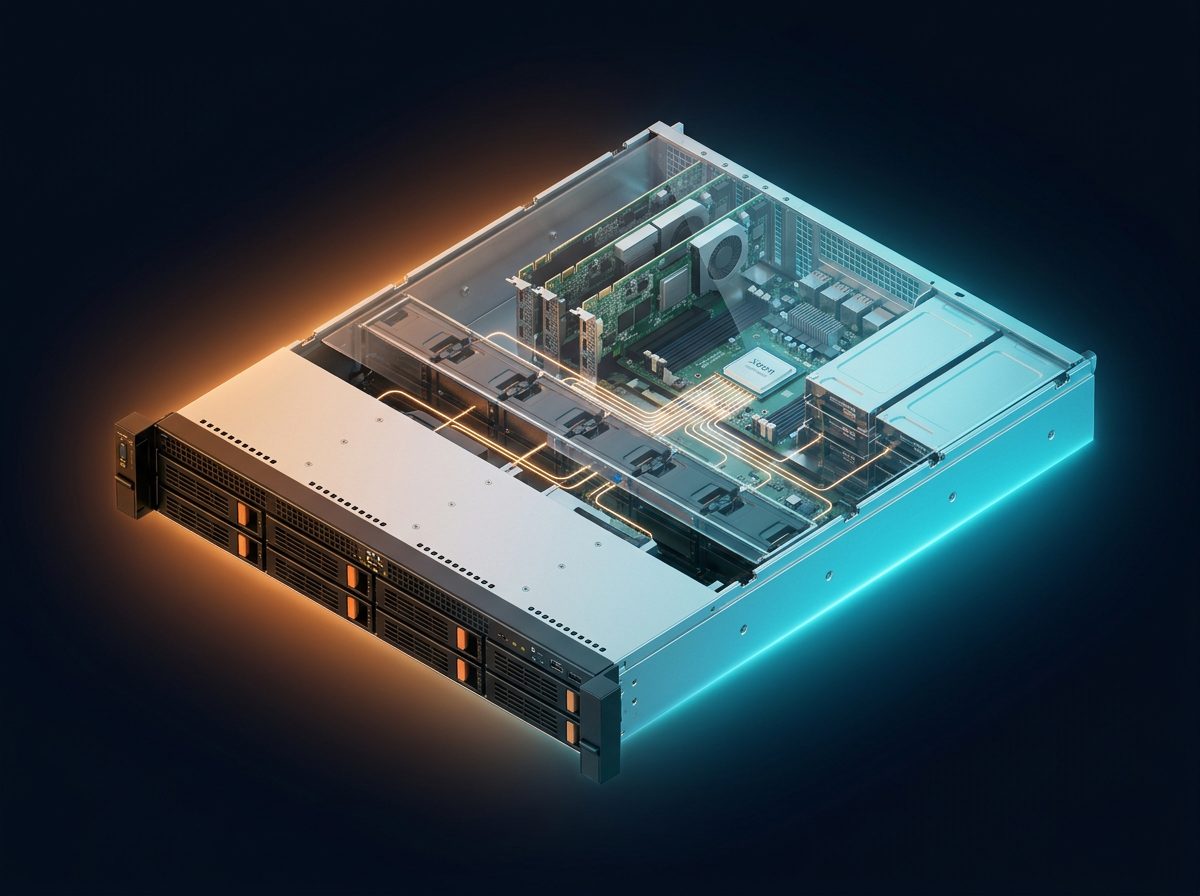
Storage Controller Node.
ARCHITECTURE

Solution block diagram.

The block diagram shows the Storage Controller Node fronting a JBOF pool with enterprise storage services. The controller terminates NVMe-oF or S3 requests from clients, applies metadata operations (namespaces, snapshots, RAID/EC, dedupe, compression, QoS), and streams the resulting IO down the PCIe Gen4 fabric into the underlying JBOF chassis. Result: a fully-featured enterprise storage array built from two commodity Datafabrix chassis instead of a proprietary monolithic system.

Storage ClientNFS/S3/RDMA Ctrl NodeXeon Card PCIe Gen4HBA Backplane/JBOFNVMe pool DCIMManaged
DEPLOYMENT TOPOLOGY

Connection diagram.

The connection diagram shows the DF-S12 controller connected to one or two DF-S03 JBOF chassis over external PCIe MCIO cables (≤3 m passive). Client traffic enters over 25/100 GbE NVMe-oF or S3 ports. A management network runs on a separate 10 GbE port. HA is achieved by twinning two controllers cross-cabled to the same JBOF pair. A+B power feeds throughout. Use this diagram to plan cluster topology, failover paths, and client-network segmentation.

AI Client A AI Client B Storage Controller Node Ctrl Node · Xeon · Active-Active NVMe Bay 1 NVMe Bay 2 NVMe Bay 3 NVMe Bay 4
INTERFACE DETAILS

Interfaces & connectivity.

InterfaceDetails
Client protocolsNFS · S3 · RDMA (RoCEv2) · NVMe-oF
BackendPCIe Gen4 x16 to backplane/JBOF
CPUIntel Xeon (LGA)
Memory8× DDR5 DIMMs
Networking10G/25G/100G NICs
ManagementASPEED BMC · DCIM-native
HOW IT WORKS

Detailed description.

Software-defined storage separates the compute from the media. The media lives in a JBOF or backplane-attached array. The compute — running Ceph, OpenEBS, MinIO, or Datafabrix storage services — lives in a dedicated controller node.

The Datafabrix Storage Controller Node is that compute, built on our Intel Xeon Server Card. High memory bandwidth for caching, PCIe Gen5 slots for high-speed NICs, and PCIe Gen4 upstream to the storage array.

Deploy as a single controller for capacity workloads, or as an active-active HA pair for performance and availability. Native integration with the Datafabrix DCIM Platform for fleet-wide health and telemetry.

Applications

  • Ceph controllers — OSD hosting or MDS/monitor nodes.
  • NVMe-oF targets — Serve NVMe-oF namespaces to remote hosts.
  • S3 gateways — MinIO or SwiftStack frontends to NVMe pools.
  • NFS/CIFS services — File services in front of block storage.
  • AI Storage Appliance controllers — Compute half of the Datafabrix AI Storage Appliance.
USE CASES

Where this solution shines.

SDS cluster

Scale-out Ceph or similar on Datafabrix hardware.

AI storage frontend

Serve AI clients with high-throughput protocols.

Enterprise NAS/SAN modernisation

Replace aging arrays with SDS on Datafabrix.

SPEC HIGHLIGHTS

Technical specifications.

CategorySpecification
Form factor2U server
CPUIntel Xeon
Memory8× DDR5 DIMMs
Backend PCIePCIe Gen4 x16 to storage
Networking10G/25G/100G NICs
ManagementDCIM-native
TARGET INDUSTRIES

Who deploys this solution.

Storage VendorsAI DatacentersHyperscalersCloudEnterprise IT
HOW TO DEPLOY · DF-S12

Deploying Storage Controller Node in your infrastructure.

Where it fits in the rack, how it connects, and what you get after installation.

Storage Controller Node — fronting a JBOF pool.
Deployment illustration · Storage Controller Node · DF-S12
42U Rack — customer datacenter Existing Host Servers / Compute DF-S12 · Storage Controller Node PCIe Gen4 Fabric · Hot-plug ◀── This solution ──▶ Existing Storage Existing Network Ethernet Mgmt · Datafabrix DCIM · Fleet Control
RACK-LEVEL ARCHITECTURE

Where DF-S12 sits in your rack.

2U DF-X + DF-B4 combined storage controller front-end running Datafabrix StorageOS. The solution slots into a standard 19-inch rack alongside your existing servers, storage, and network fabric — no re-architecture required.

Target deployments: Enterprise storage teams building their own storage arrays instead of buying appliances.

  • Cabling: standard PCIe host adapter → PCIe cable → DF-S12 chassis
  • Power: standard C13/C14 rack PDU, 1+1 redundant PSU option
  • Management: 10 GbE + IPMI/BMC out-of-band + Datafabrix DCIM integration
  • Cooling: fits standard rack thermal envelope, no liquid cooling required
01

Install in rack

Slide the DF-S12 chassis into a standard 19-inch rack slot. Rail kit included. Cable to your PDU and management network.

02

Connect PCIe host

Install the Datafabrix PCIe host adapter in your existing server. Connect via PCIe cable to the DF-S12 backplane uplink.

03

Populate the fabric

Insert NVMe drives, GPUs, or accelerators into hot-plug slots. Each device trains and appears as a native PCIe endpoint on the host.

04

Manage & scale

Optional: connect to Datafabrix DCIM for fleet-wide visibility. Add more chassis for horizontal scale — no host reconfiguration.

🎯

Custom enterprise storage

Direct rack integration alongside your existing production servers. Turnkey in a single deployment window.

📈

Filer / block storage

Scale from a single chassis pilot to full-rack production with zero architectural change.

🔧

Backup / archive systems

OEM-ready configuration for organizations building their own branded infrastructure products.

Ready to design a rack around it?

Engineering pilots, reference designs, and OEM co-design programs — we work with your team from concept to production.