DF-S14 · SolutionShipping
SSD TESTING & VALIDATION

SSD Testing & Validation Platform.

A PCIe Gen4 platform for enterprise SSD validation, qualification, burn-in, firmware testing, and continuous reliability testing — built on the Datafabrix PCIe Gen4 Fabric Backplane.

Standalone Sold individually — not bundled inside a standard rack
PRODUCT OVERVIEW · DF-S14

A validation platform, engineered around the Gen4 Fabric Backplane.

The Datafabrix SSD Testing & Validation Platform is a scalable, high-speed PCIe Gen4 infrastructure purpose-built for SSD manufacturers, hyperscalers, and enterprise labs that need to characterise, qualify, and burn-in NVMe SSDs at production scale.

At its core sits the Datafabrix PCIe Gen4 Fabric Backplane (DF-B4) — the same production-hardened fabric that ships inside our racks. Around it, we add hot-plug NVMe carriers, SATA support, per-device power sequencing, thermal monitoring, and an automation-friendly host interface.

One chassis. Dozens of SSDs under test simultaneously. Full firmware-level control. Complete telemetry pipeline into the Datafabrix DCIM stack for long-running reliability studies.
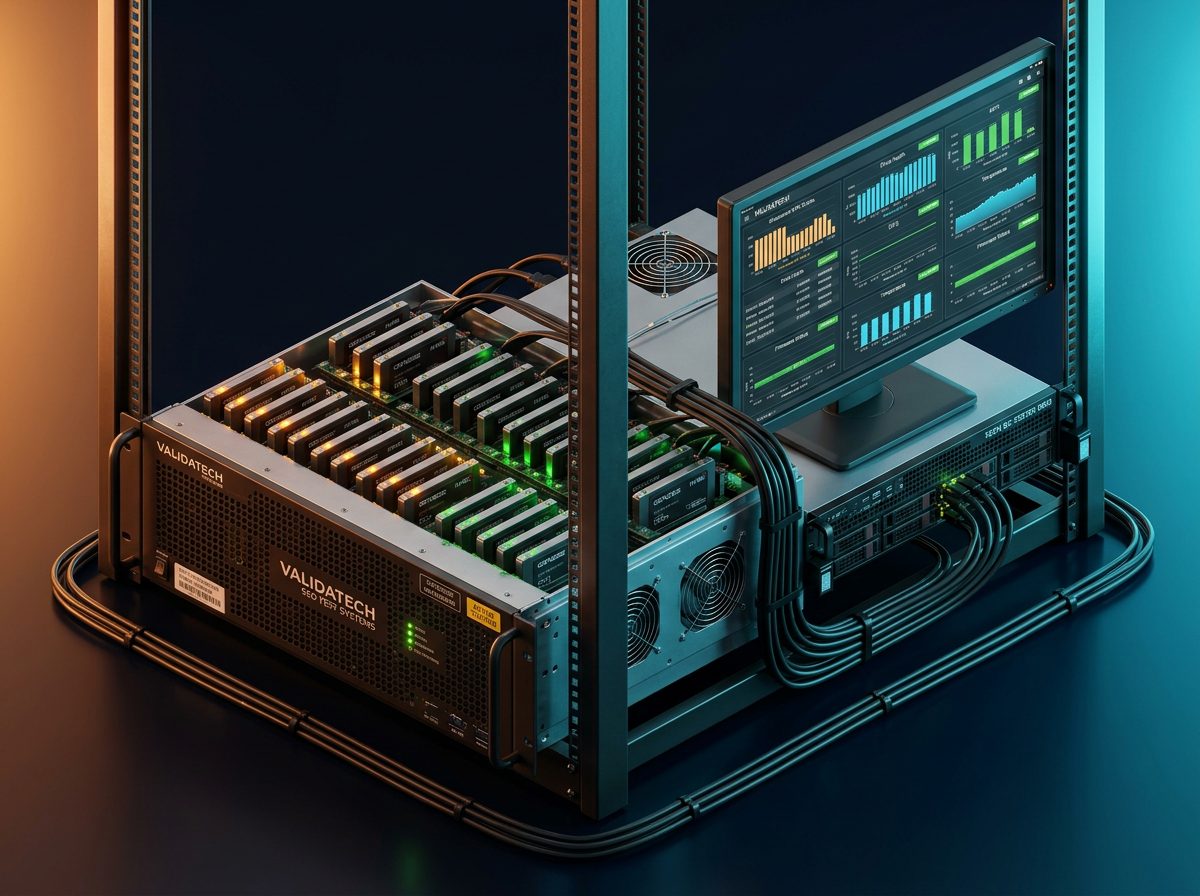
SSD Testing & Validation Platform
ARCHITECTURE

Solution block diagram.

The block diagram shows how the SSD Testing & Validation Platform routes traffic from a control host into a pool of devices under test. A host workstation sits at the top, driving the Datafabrix PCIe Gen4 Fabric Backplane through a Gen4 host bus adapter. The backplane fans out into hot-plug NVMe carriers — each carrier exposing one device under test as a native PCIe endpoint. Per-slot power sequencing and thermal sensing let the platform exercise real-world plug/unplug, thermal cycling, and firmware-recovery scenarios. Results stream back through the DCIM telemetry pipeline for logging, analysis, and pass/fail reporting.

Control Host Automation SW PCIe Gen4 HBA 16-lane DF-B4 Backplane PCIe Gen4 fabric Hot-plug · SATA · Power seq. Tier-1 US switch silicon NVMe carriers Hot-plug U.2/E1.S SATA carriers Optional SSDs under test 24+
DEPLOYMENT TOPOLOGY

Connection diagram.

The connection diagram maps a typical lab or manufacturing-floor deployment. One or more automation host workstations sit in a rack alongside the DF-S14 chassis. Each host runs an MCIO cable to the chassis PCIe Gen4 HBA. The chassis houses the DF-B4 backplane, up to 24 NVMe hot-plug slots (plus optional SATA slots), and per-slot power sequencing and thermal monitoring. A dedicated 10 GbE management port exports test telemetry, drive health, and pass/fail reports back to the Datafabrix DCIM stack. Redundant PSUs draw from A+B PDU feeds. Use this diagram to size cable lengths (≤ 3 m passive, 3–7 m active), plan host-to-chassis ratio, and verify PSU headroom against your target drive population.

Lab · manufacturing rack Automation Host Xeon workstation · PCIe HBA Test scripts · orchestrator DF-S14 Chassis 4U · DF-B4 backplane inside PCIe Gen4 HBA + control MCU DF-B4 Fabric Backplane 24× hot-plug NVMe slots Per-slot power seq. · thermal · SATA opt. DCIM Aggregator Datafabrix StorageOS Wear · endurance · pass/fail A + B rack PDU Redundant PSU feeds MCIO · PCIe Gen4 10 GbE mgmt A+B power
INTERFACES

Interfaces & connectivity.

Host uplink

PCIe Gen4 ×16 via MCIO to the automation host — passive to 3 m, active to 7 m. Multi-host configurations supported.

Device slots

24× hot-plug NVMe (U.2 / E1.S carriers). Optional SATA carriers for hybrid firmware-test benches.

Per-slot power

Sequenced power rails with over-current protection — scripted power cycling, brown-out simulation, and firmware-recovery tests.

Thermal sensing

Per-slot temperature monitoring plus chassis-wide airflow telemetry — thermal excursions logged into the DCIM feed.

Management

10 GbE OOB management port. BMC/IPMI redfish endpoint. Direct integration with the Datafabrix DCIM stack.

Power

A+B redundant PSU feeds, C13/C14 rack PDU inputs. Fits standard datacenter thermal envelope — no liquid cooling required.

HOW IT WORKS

How this architecture works.

The fabric is the enabler

The DF-B4 backplane exposes every device under test as a native PCIe Gen4 endpoint on the automation host — no protocol translation, no NVMe-oF hop, no software emulation. Every timing, error, and thermal event is observed with production-grade fidelity.

Every slot is independent

Per-slot power sequencing and hot-plug electricals let the platform mix qualification runs, burn-in cycles, and firmware-recovery tests across different devices in the same chassis — without interlocks, without cross-contamination.

Automation-first host interface

The control-host runs your existing NVMe test scripts (nvme-cli, fio, FSCT, JEDEC test suites) unchanged. A thin Datafabrix Python SDK exposes power sequencing, thermal alerts, and slot topology for orchestration.

Telemetry into DCIM

Every drive-health metric, wear counter, and pass/fail event streams into Datafabrix StorageOS — endurance forecasts and cross-lot analytics without a separate data pipeline.

USE CASES

Where this solution is a good fit.

SSD qualification

Full JEDEC / enterprise-grade qualification suites — endurance, retention, error rate, thermal.

Firmware validation

Automated firmware regression across dozens of drives per chassis — every commit, every drive family.

Burn-in & reliability

Multi-week burn-in cycles with per-slot thermal cycling, power cycling, and hot-plug stress.

Manufacturing test

Production-floor incoming inspection and outgoing quality — high throughput, pass/fail deterministic.

Continuous reliability

Long-tail reliability studies on production drives — real workload IO, real datacenter thermal.

OEM incoming test

Hyperscaler and OEM incoming-lot validation — every SSD family, every supplier, one chassis.

AT A GLANCE

Technical specifications.

Form factor4U rack chassis · standard 19" rails
BackplaneDatafabrix DF-B4 · PCIe Gen4 fabric · Tier-1 US switch silicon
Host interfacePCIe Gen4 ×16 · MCIO passive/active cabling
Device slots24× hot-plug NVMe (U.2 / E1.S carriers) · optional SATA
Per-slot controlPower sequencing · thermal sensing · firmware-recovery reset
Management10 GbE OOB · BMC / Redfish · DCIM integration
PowerA+B redundant PSU · C13/C14 rack PDU
CoolingAir-cooled · standard datacenter thermal envelope
Automation SDKPython bindings · nvme-cli / fio compatible · JEDEC test-suite hooks
AvailabilityShipping today · pilot units on request
TARGET INDUSTRIES

Who tends to deploy it.

SSD manufacturers Hyperscaler validation labs Enterprise storage vendors NAND / controller fab labs Firmware & QA teams Contract manufacturing Reliability engineering
HOW TO DEPLOY · DF-S14

Deploying SSD Testing Platform in your infrastructure.

Where it fits in the rack, how it connects, and what you get after installation.

SSD Testing Platform — deployed on a validation lab bench.
Deployment illustration · SSD Testing Platform · DF-S14
01

Install in rack

Slide the 4U DF-S14 chassis into a standard 19" rack. Rail kit included. Cable to A+B PDUs and the management network.

02

Connect the host

Install the PCIe Gen4 HBA in your automation host. Cable to the chassis via MCIO. Optional: connect a second host for HA test benches.

03

Populate slots

Insert devices under test into hot-plug carriers. Each drive enumerates as a native PCIe endpoint on the host — no reboot required.

04

Run & observe

Point your existing test scripts at the enumerated drives. Every event streams into StorageOS for reporting and analysis.

Ready to design a rack around it?

Tell us your device family, your test volume, and your validation cadence. We respond within one business day with a chassis configuration, cable plan, and quote.