DF-S13 · SolutionShipping
XEON-BASED · MANAGEMENT

Management Server.

A fleet-wide management server for out-of-band control, firmware distribution, and datacenter automation — running on the Datafabrix Intel Xeon Server Card.

Ships inside DF-R4
OVERVIEW

The compute behind your DCIM.

DCIM software needs a substrate that runs it — a management server that talks to thousands of devices, stores telemetry, and hosts automations. This is that server.

Complementary to the DCIM Appliance, the Management Server is a bare compute node purpose-built for infrastructure automation workloads: agentless discovery, firmware distribution, telemetry ingest, RBAC-controlled orchestration.

Built on Intel Xeon Server Card Shipping today
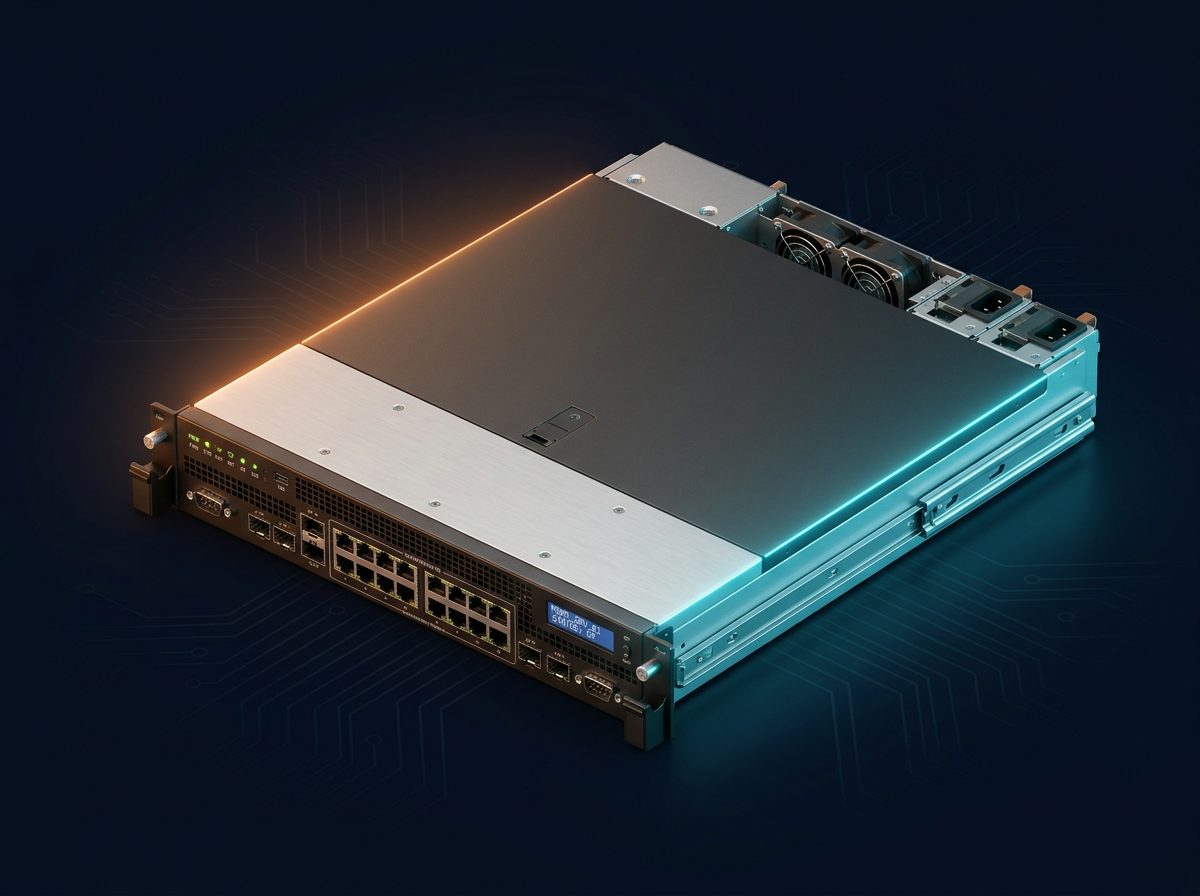
Management Server.
ARCHITECTURE

Solution block diagram.

The block diagram illustrates how the Management Server aggregates the operational state of an entire Datafabrix estate. The ingestion layer collects telemetry, events, and configuration state from every DCIM appliance, backplane, and platform module across sites. A policy engine evaluates org-wide rules (RBAC, compliance, capacity guardrails). A unified console renders topology, alerts, and reports. The server is the single pane of glass for a multi-site Datafabrix deployment.

AutomationAnsible/etc Mgmt ServerXeon Card OOB NetworkRedfish/IPMI Fleet1000s of devices DCIMIntegration
DEPLOYMENT TOPOLOGY

Connection diagram.

The connection diagram shows the DF-S13 wired into a corporate network. Two redundant 10 GbE ports uplink to the operations VLAN and reach every remote DCIM appliance over a mesh of WAN or MPLS links. A dedicated 1 GbE port exposes the operator console to the corporate LAN via a firewall. Identity federates through the corporate IdP (SAML/OIDC). A+B power feeds keep the console hot during maintenance. Use this diagram to plan WAN routing, firewall rules, and IdP integration.

Automation DCIM Ops Management Server Xeon Server Card · Redfish/IPMI Rack A Rack B Rack C Rack D
INTERFACE DETAILS

Interfaces & connectivity.

InterfaceDetails
OOB protocolsRedfish · IPMI · SNMP · SSH/CLI
NorthboundREST API · Webhooks · Ansible integration
NetworkingDual RJ45 (management VLAN)
StorageM.2 NVMe boot + NVMe data volume for telemetry
AuthLDAP · SAML · OIDC
HOW IT WORKS

Detailed description.

Every serious datacenter has a management network — a dedicated VLAN carrying Redfish, IPMI, SNMP, and SSH traffic between the ops team and the devices. What hosts the tooling on that network is a management server.

The Datafabrix Management Server runs on our Intel Xeon Server Card. High single-thread CPU for orchestration frameworks, DDR5 memory for large in-flight state, and NVMe storage for telemetry archives.

Deploy standalone for orchestration workloads (Ansible, Salt, custom automations), or paired with a DCIM Appliance for a complete management stack. RBAC, audit logging, and role-based access make it enterprise-ready.

Applications

  • Automation controller — Ansible / Salt / Puppet control node.
  • Firmware distribution — Fleet-wide firmware update orchestration.
  • Telemetry ingest — Aggregate device telemetry for DCIM.
  • Compliance runners — Scheduled compliance and configuration checks.
  • RBAC-controlled ops — Role-based access to infrastructure operations.
USE CASES

Where this solution shines.

Automated datacenter operations

Codify repetitive ops tasks in playbooks.

Fleet firmware compliance

Keep thousands of devices at approved firmware levels.

Managed-service operations

MSPs running ops for many customers.

SPEC HIGHLIGHTS

Technical specifications.

CategorySpecification
Form factor1U or 2U server
CPUIntel Xeon
MemoryDDR5 (workload-sized)
StorageNVMe boot + NVMe telemetry volume
NetworkingManagement-VLAN attached
AuthLDAP · SAML · OIDC
TARGET INDUSTRIES

Who deploys this solution.

Enterprise ITMSPsColocationCloud Providers
HOW TO DEPLOY · DF-S13

Deploying Management Server in your infrastructure.

Where it fits in the rack, how it connects, and what you get after installation.

Management Server — aggregating multi-site telemetry.
Deployment illustration · Management Server · DF-S13
42U Rack — customer datacenter Existing Host Servers / Compute DF-S13 · Management Server PCIe Gen4 Fabric · Hot-plug ◀── This solution ──▶ Existing Storage Existing Network Ethernet Mgmt · Datafabrix DCIM · Fleet Control
RACK-LEVEL ARCHITECTURE

Where DF-S13 sits in your rack.

Dedicated DF-X-based server running Datafabrix Cloud (fleet control plane) across multiple sites. The solution slots into a standard 19-inch rack alongside your existing servers, storage, and network fabric — no re-architecture required.

Target deployments: Organizations operating multiple datacenter sites that need one control plane.

  • Cabling: standard PCIe host adapter → PCIe cable → DF-S13 chassis
  • Power: standard C13/C14 rack PDU, 1+1 redundant PSU option
  • Management: 10 GbE + IPMI/BMC out-of-band + Datafabrix DCIM integration
  • Cooling: fits standard rack thermal envelope, no liquid cooling required
01

Install in rack

Slide the DF-S13 chassis into a standard 19-inch rack slot. Rail kit included. Cable to your PDU and management network.

02

Connect PCIe host

Install the Datafabrix PCIe host adapter in your existing server. Connect via PCIe cable to the DF-S13 backplane uplink.

03

Populate the fabric

Insert NVMe drives, GPUs, or accelerators into hot-plug slots. Each device trains and appears as a native PCIe endpoint on the host.

04

Manage & scale

Optional: connect to Datafabrix DCIM for fleet-wide visibility. Add more chassis for horizontal scale — no host reconfiguration.

🎯

Multi-site enterprises

Direct rack integration alongside your existing production servers. Turnkey in a single deployment window.

📈

Managed service providers

Scale from a single chassis pilot to full-rack production with zero architectural change.

🔧

Cloud operators

OEM-ready configuration for organizations building their own branded infrastructure products.

Ready to design a rack around it?

Engineering pilots, reference designs, and OEM co-design programs — we work with your team from concept to production.